The problem
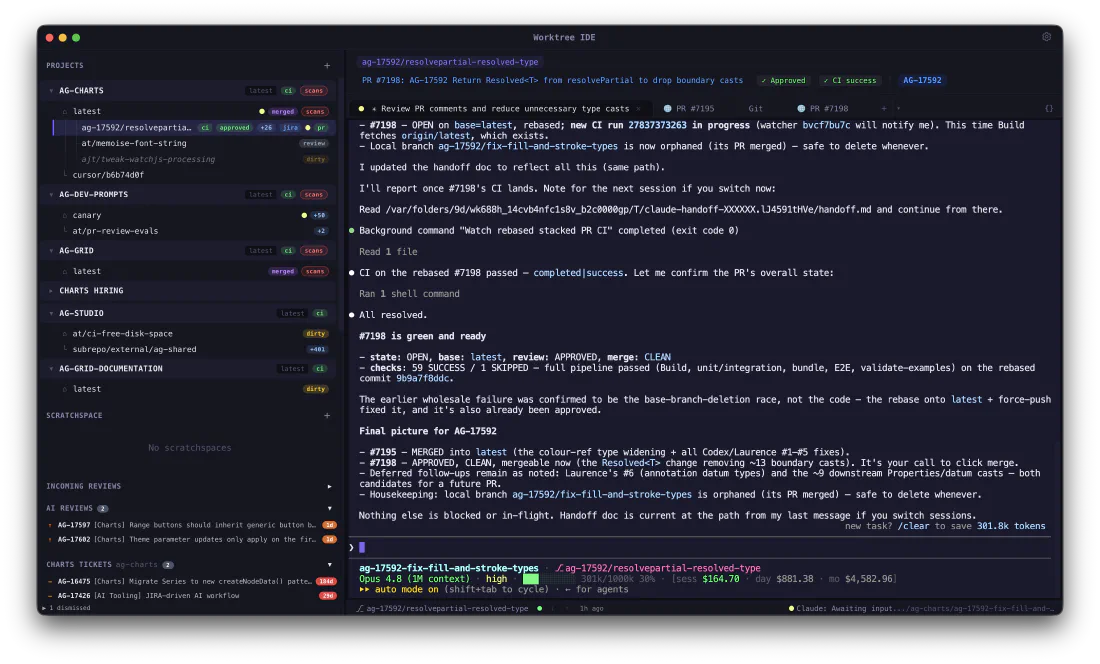
Running AI coding agents in parallel maps naturally onto git worktrees — separate checkouts on separate branches, so each agent has its own files and never trips over the others. But mainstream editors treat worktrees as an afterthought. You end up juggling windows, hand-typed git worktree commands and a scatter of terminal tabs, with no single place to see which agent is on which branch, or what its pull request and CI are doing.
What it does
Worktree IDE makes the worktree the unit of work:
- Worktree-native — create, rename and remove worktrees in a click, with branch stacking, a visual tree of what’s in flight, and automatic cleanup of stale git locks.
- Terminal-first — per-worktree terminals with split panes, built around the command line where these tools actually live, and sessions that survive an app restart.
- Built for AI agents — launch and switch between concurrent coding sessions — Claude Code, Codex, Gemini CLI, OpenCode, Cursor CLI, or your own custom commands — one per worktree.
- Git, PRs and CI in view — full staging, commit and diffing in a built-in editor, with pull-request and CI status pulled straight from the GitHub CLI and project links opening in an embedded browser.
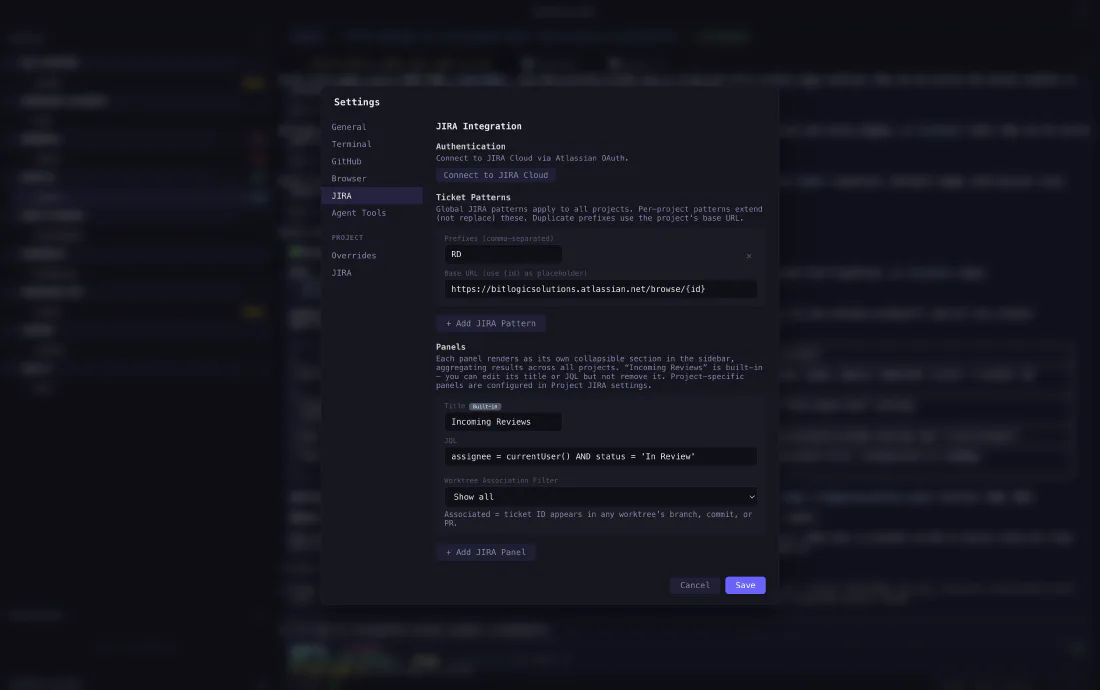
- Code navigation and JIRA — go-to-definition, references and diagnostics for TypeScript and JavaScript, plus JIRA tickets detected from your branches.
- A native desktop app — a fast macOS application, not another browser tab.
Under the hood
A native macOS desktop application built on Electron and TypeScript, with a React interface and first-class git-worktree orchestration. Terminals run on real PTYs kept alive by a background session daemon; local state lives in SQLite; editing and diffs use the Monaco editor. It drives the tooling you already have — git, the GitHub CLI, ripgrep and the AI CLIs of your choice.
Status
Worktree IDE is in active development and private beta, currently on macOS (Apple Silicon). We’re working with a small number of users to harden the workflow before a wider release.
Interested in early access? Get in touch and tell us about your setup.